If you are interested in creating drum-machine samples Alchemy Revolution could be for you. You can choose from 14 variations of the Revolution that includes over 41,000 shop samples. You will not have a shortage of creative ideas to choose from. This design will impress you with the abundance of information available and also provide a easy to operate model. You can choose to load only the samples you want and that will save memory.
Wave Alchemy Revolution will give you infinite options to take you music to the next level.
Read more: Wave Alchemy Revolution – The Ultimate Sampled Drum Instrument
 If you have ever been asked to record and edit a conversation between two people, say, for a voice over job, then you are probably aware of the logistical problems this can cause. The client usually has visions of just getting the two people together around a microphone and simply reading their parts at the appropriate time. Sure, that would be OK if you always had both people available at the same time, along with two great microphones, a large enough space for both people to occupy at the same time, etc. But these conditions are not always available to us.
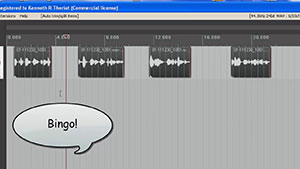 By the way, we’ll be using the excellent audio recording software called
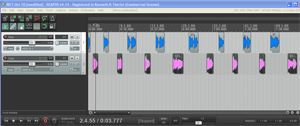
 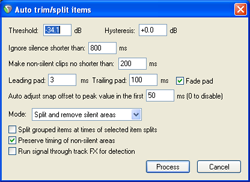 The next bit of time-saving automation was the Auto Trim/Split function. What this does is allow you to slice one continuous audio file into several separate audio items in a track based on when there is silence and when there is speaking going on. This was huge! I had been slicing (using the “S” keyboard shortcut) just before and just after each phrase, and then dragging the edges of the resulting clipped audio item in to get rid of the silence. That was 4 different operations (2 slices and 2 drags) for every phrase! Multiply that by dozens of phrases for each voice and you have a LOT of work. But with Auto Trim/Split, you select the entire long audio item in the track and hit one keyboard shortcut (you can set your own – mine is “ctrl+~”) and boom! Every phrase becomes its own item, perfectly trimmed on either side. See the picture at the top of the article where this has been done to each voice). That one discovery saved me about 20 minutes per voice!
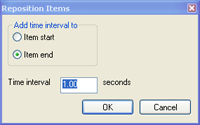 The other thing that was taking a long time was spacing each voice, alternating boy-girl-boy-girl, with exactly 3 seconds between each phrase. As I mentioned earlier I was doing this manually until I discovered the Reposition Items tool in Reaper. [Update: Reposition Selected Items (as it is now called) is not part of the native Reaper set of tools. You need the free extension set – SWS extensions – by just going here: