 Sound fail at Academy Awards (2012) – I don’t know if I am just over sensitive to it but I could barely stand to watch the Oscars last night due to the terrible audio. The ringing feedback from the PA system was constant. Plus, from the very start the mix was poor between vocal and orchestra. I could barely hear Billy Crystal’s lyrics over the music, and the announcements about a winner as they walked up to the music were also barely audible.
I think the two problems were related. Perhaps they realized that the system amplifying the vocals was not doing the job so they bumped the gain there (you HAVE to be able to hear the people speaking at the Oscars), only to cause things to become unbalanced (in a mixing sense, not an electronic signal sense), causing feedback.
I used to play in a small band in the same room that seemed to want to feedback at certain specific frequencies. Rather than turn the entire PA down at the master volume control ( a mistake MANY people make) until the screeching goes away, we attached an EQ unit and only turned down the offending frequencies. That helped a lot, allowing us to continue at the same overall volume without ripping your ears out. However, doing it that way did result in a sort of “ghost feedback” that sounded like a sort of ringing at the edges of the sound. That is exactly what that sounded like last night in the Oscars’ audio system. I have not proof that it was that, but that’s my guess.
What did y’all think? What do you think caused the problem? Please leave a comment below.
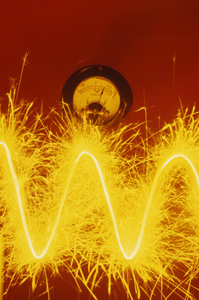 Today, Google has as its logo a very audio-related thing. Did you recognize the moving waves? That’s what audio “looks” like. The logo is in honor of the birthday of Heinrich Hertz, who proved the existence of electromagnetic waves. His work was mainly about light waves, but audio waves are very similar.
 In our recent article about
 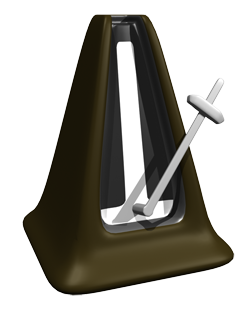 The click track is a tool in audio recording, especially for recording music, that allows a person to hear the tempo or timing information of project. For example, in
 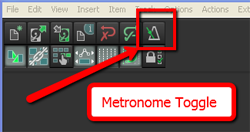 This will then play through the speakers and headphones when in Record or Play mode.
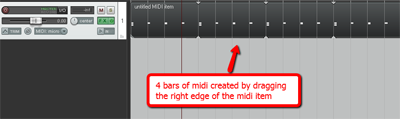
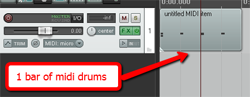 The second option is to not use the metronome at all. That’s what I do. You simply create a new track (ctrl-T), change the Input to MIDI and insert a virtual instrument drum program using the FX button. Then simply record a measure or two of drum hits. I usually use a kick, hi-hat and snare. Edit the MIDI file (double-click on the item in the track) to make sure your hits are on the right beats. Then trim the MIDI item to make sure it is exactly one measure long and starts exactly on beat #1. Then all you have to do is drag the right edge of the MIDI item to the right (this loops it) for the length of the song.