 To record vocal harmony, the most basic thing to do is have a human sing each part and put those parts on their own tracks in audio recording software. If you can do it that way, it is arguably the best and most preferable method of doing it.
But you can also create harmony recordings using software.
Why would you want to use software to create vocal harmonies?
There could be several reasons, like:
- You would rather not deal with singing harmonies, or it’s not in your skill-set
- You don’t have anyone else around to sing your harmonies
- You want the sound of artificial voices – that sound a bit like singing robots – as an effect
What software can you use for this?
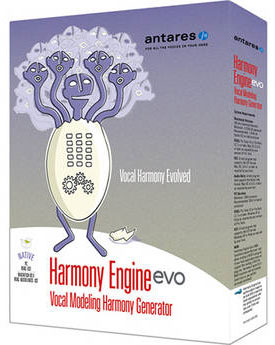
There are several programs available that are specifically designed to create vocal harmonies. Two of the most popular are Antares Harmony Engine (brought to you from the makers of Auto-Tune), and Vielklang Instant Harmony. There are others, of course. These programs work really well. But they can be a bit pricy. Harmony Engine is $199 and Instant Harmony is $149.
If you don’t have a couple hundred bucks in your budget for this, there are a couple of other options. Reaper, one of the best and most affordable recording programs around, comes with a couple of different plugin effects that you can use to create harmony. One of these is called ReaVoice. I did a video on how to use it here. The other one is called ReaTune.
Using ReaTune to create harmonies
The primary use of the ReaTune effect is to correct pitch, very much like Auto-Tune and similar programs. But you can use the pitch-altering ability to create harmony notes from a single track of actual vocals. You can see how it works in the video below. But in a nutshell…
- You sing (or have someone sing) the melody of a song on a track (say Track 1) in Reaper
- Copy the vocal to track 2
- Load the ReaTune effect on track 2
- In the ReaTune window, draw in the harmony notes to shift the original audio to those notes
- Repeat the process for each track of harmony. For instance in the video below, the song has 3-part harmony. The sung vocal track is on track one with ReaTune generating one harmony on track two and the 3rd part on track 3
This is a lot more clear in the video here:
[genesis_club_wistia_video id=”0ecf4l543e” pt=”75″]
This video is an excerpt from our course Harmony Recording Awesomeness. Find out more about that by CLICKING HERE.


 I talk a LOT about harmony singing. My search for a way to 3-part harmony with my friends when I was in high-school and failing – (not all my friends were in choir) due to the fact that a lot of people who CAN sing, still cannot sing harmony, is arguably the reason that I discovered multi-track recording in the first place!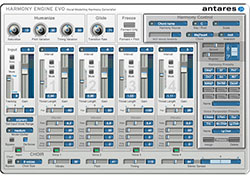

 [This is one of the first posts I published – if not THE first – for Home Brew Audio. I thought it would be cool to take a look back. This is especially interesting since our latest course is
 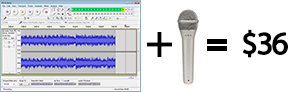 Is it possible to record a professional sounding song with acoustic guitar and 3-part harmony on a home studio costing only $36? It is if you know how!